PRODUCTION CONTROL TOOLKIT · V1.5.0
Build. Refine.
Render. Deliver.
In one place.
From the first scene check to the final delivery. Bring modeling, materials, motion, rendering and export into one focused Blender sidebar.
BLENDER 5.2+ · LOCAL WORKFLOW · SIX WORKSPACES
 Build. Refine. Keep editing.
RENDER & ANIMATE / TESTED IN LOCAL BLENDER
From an asset
to a complete set.
Build the camera and lighting around your subject. Keep individual lights, camera targets, named shots and an editable orbit in your Blender project.
CAMERA / FRAME THE SUBJECT
Start with the subject.
Select an asset and create a camera with a chosen view, lens and framing margin. SceneHelm creates a native camera and an editable aim target.
Your control: camera transforms, lens, target, guides and depth of field remain Blender data.
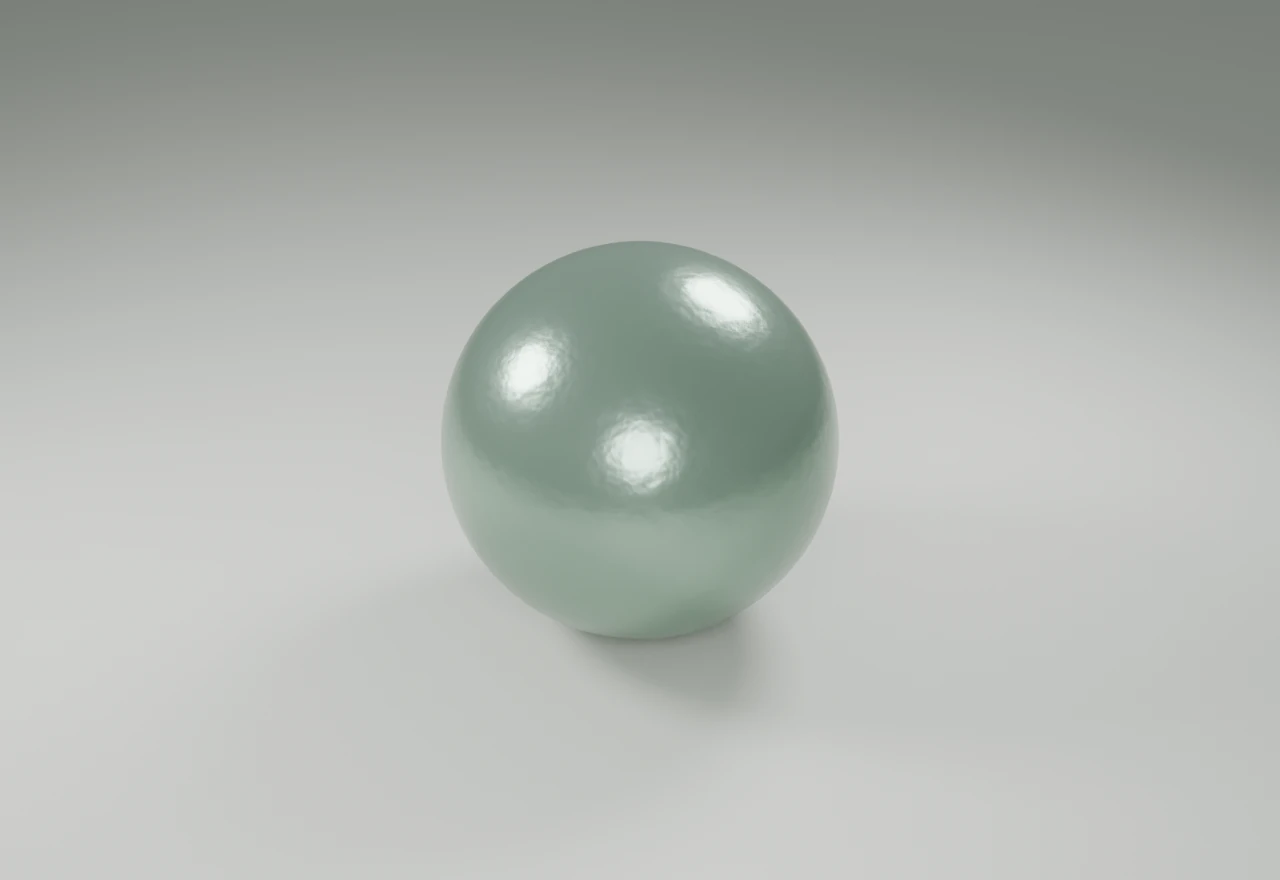
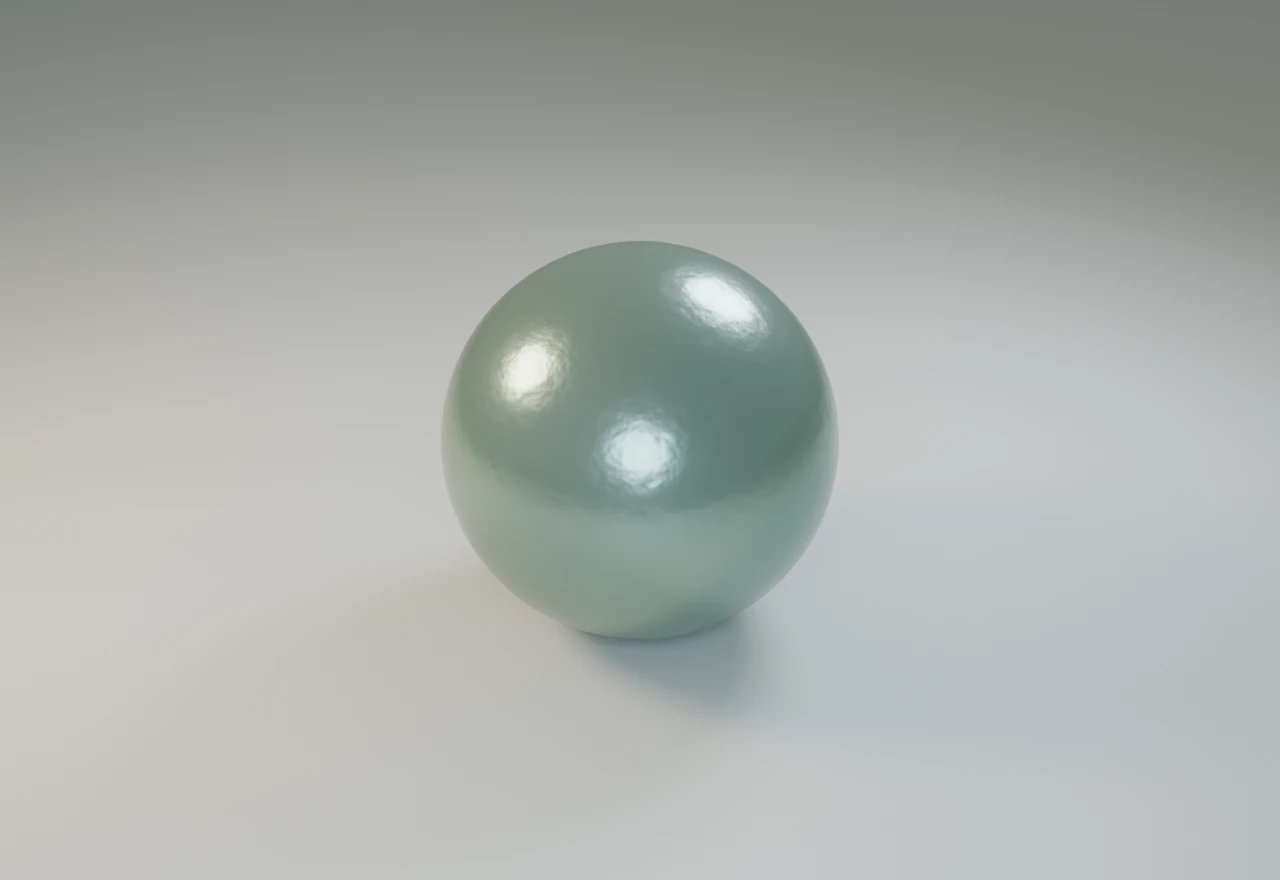
THE SAME SUBJECT. TWO LIGHT SETS.
See the lighting decision.
These local Cycles renders use the same source material and camera. SceneHelm creates the three-light rig with Neutral or Warm / Cool colors; the artist controls energy, ratios and light size.
1280 × 880 · Cycles CPU · 32 samples · Authored sample sphere and floor
CAMERAS & FOCUSChoose the view and lens. Edit the created camera and target directly.
LIGHTS & LOOKThree independent area lights. Tune the balance and choose the color style.
SHOTS & OUTPUTRestore named cameras and ranges. Prepare output, render a still or build an editable orbit.
BUILT IN BLENDER / VERSION 1.5.0
See what the
tools actually do.
Explore fresh outputs from the supplied addon. Each view was generated and rendered in Blender 5.2.
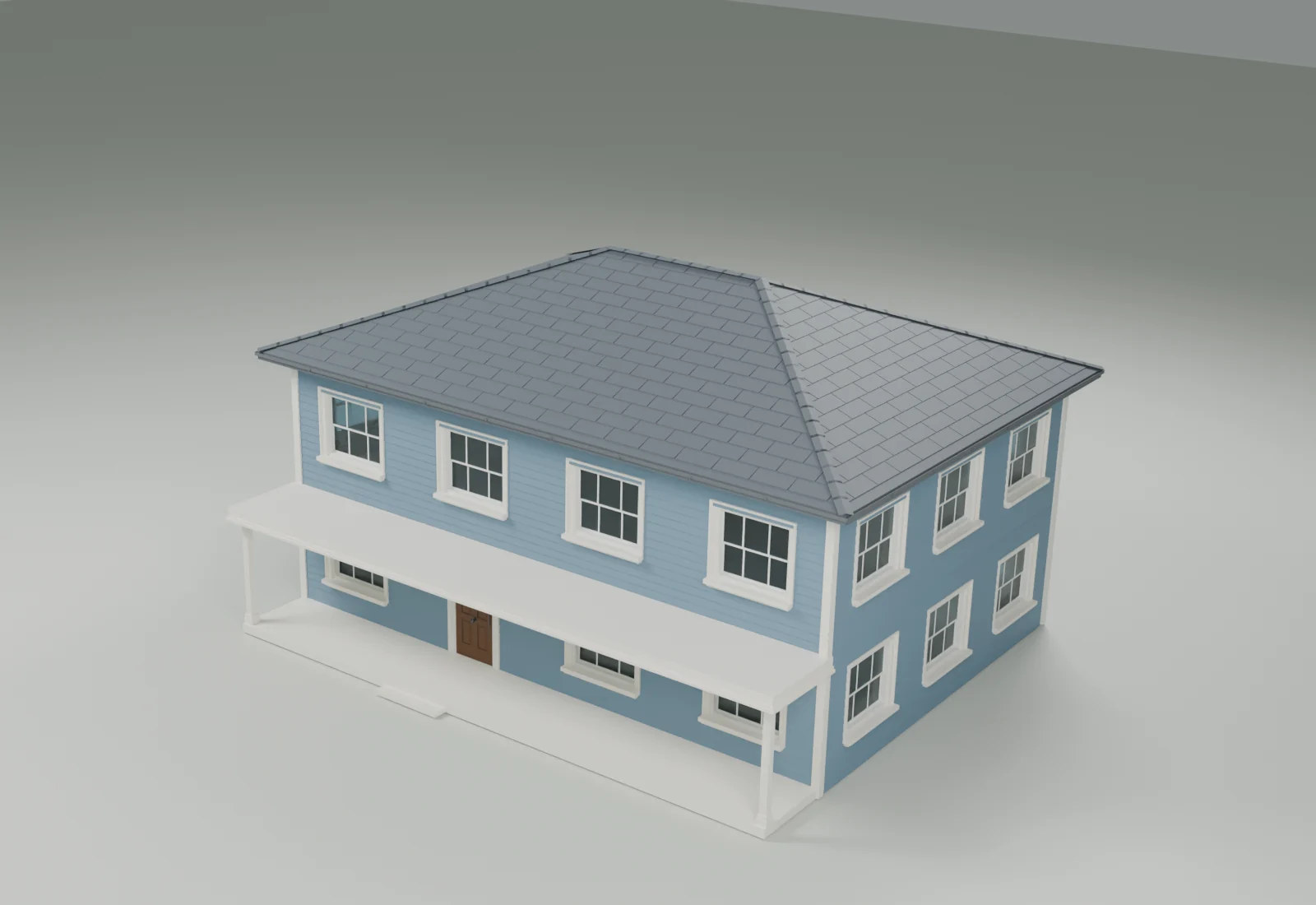
BLENDER 5.2 / CYCLESOverviewREAL OUTPUT / EDITABLE SCENE
Architecture you can keep refining.
Explore the geometry produced by the current building kit.
SceneHelm 1.5.0
Prerendered visual demonstrations. The browser does not run Blender. Floors, support posts and presentation materials were authored for these scenes.
CREATE → LOAD → UPDATE
Change the building.
Keep its place.
From two floors to three. From 14 to 16 metres wide. The same five building-family objects retain their identities and transforms.
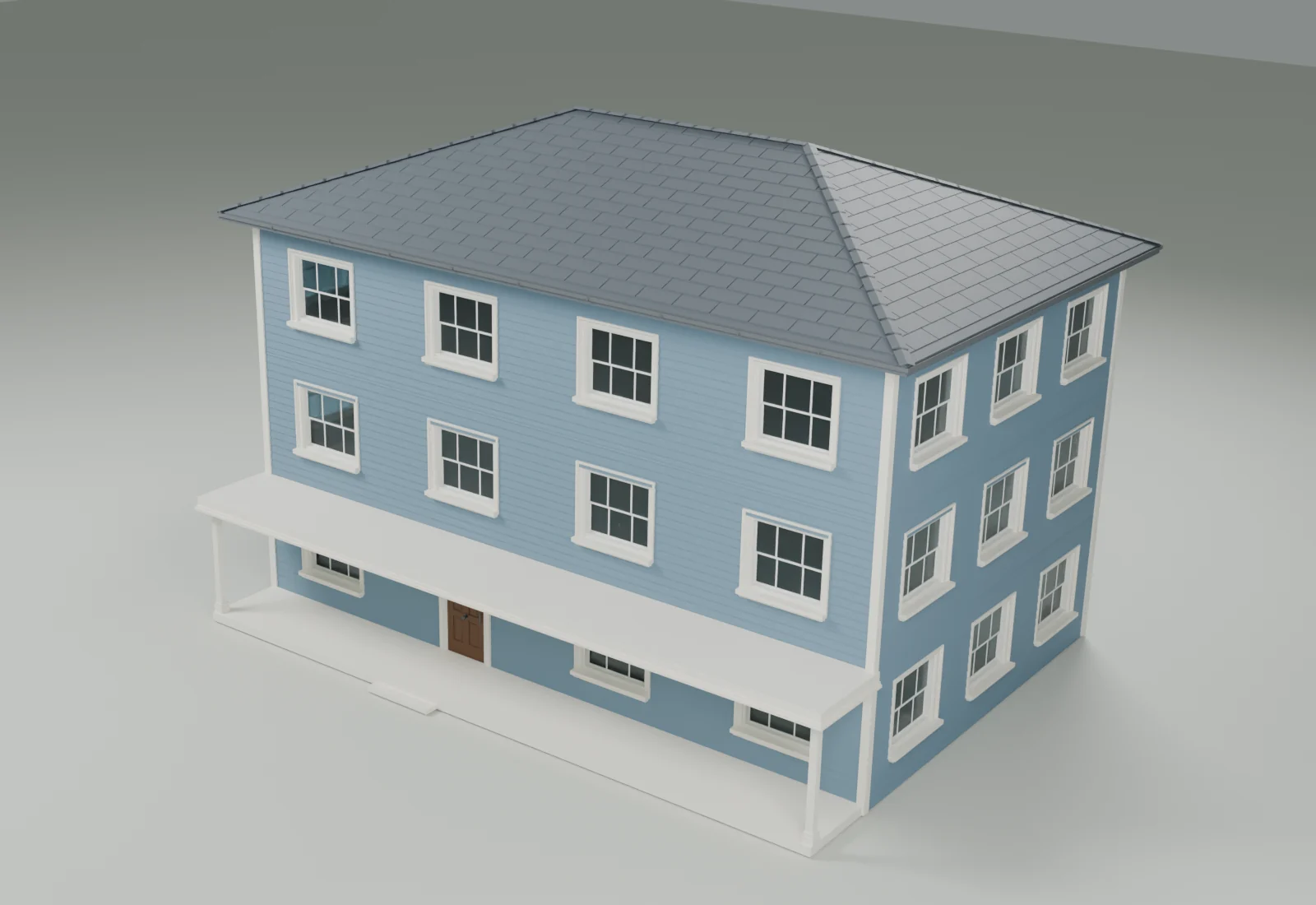
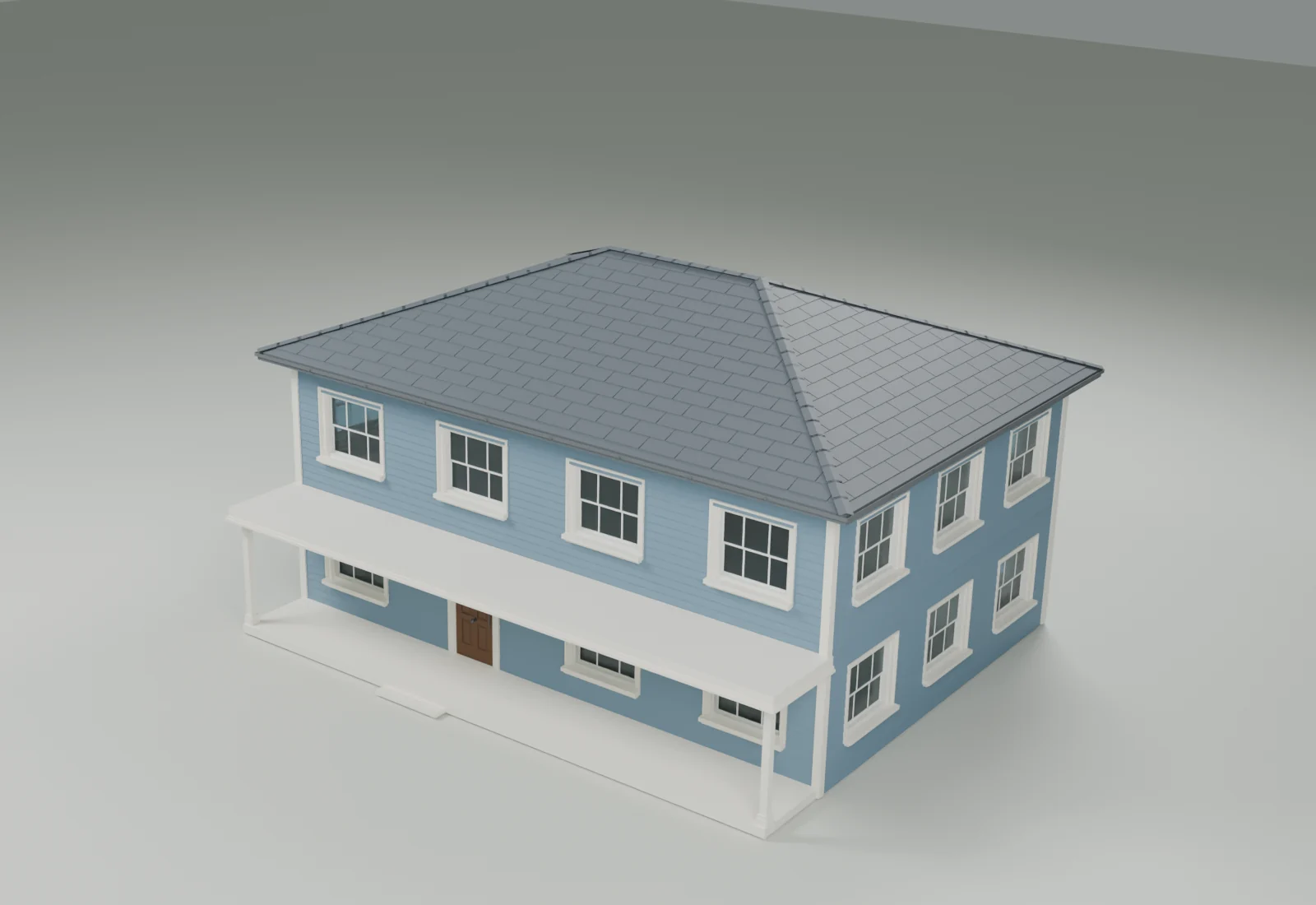
01 / SAME CAMERABoth renders use the same viewpoint, lighting and materials.
02 / EXPLICIT UPDATEControls change the setup; Update applies it to the loaded building.
03 / NATIVE CHECKObject identities and transforms were checked before and after rebuilding.
01 — THE TOOLKIT
Less searching.
More creating.
Six workspaces, task-focused controls, search and favorites. Open the tool you need; optional details stay out of the way.
01 / DIAGNOSE & ORGANIZE
Know what needs
your attention.
Review transforms, base-mesh geometry and missing images. Locate affected data, inspect the findings and choose your next step.
- Read-only scene scans
- External dependency review
- Versioned project checkpoints
Captured locally with SceneHelm 1.5.0 / Building kit 03. Open the image to read the controls.
This explorer presents the toolkit. It does not run Blender in your browser.
02 — EDITABLE STARTING POINTS
Start with structure.
Make it yours.
Buildings, fences, stairs, shelves and cables. Create a starting point, adjust its controls and keep working in Blender.
 05 / 07
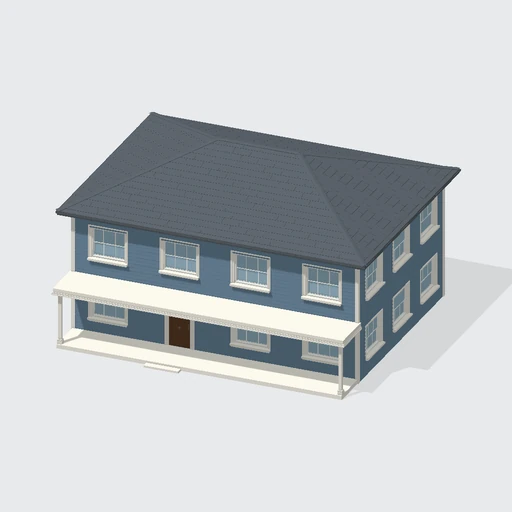
BUILDING GENERATOR
American Suburban
Hip roof and wide front porch
Bundled previews made from the addon's factory meshes. Glass is shown opaque; Bevel modifiers are not evaluated. These are catalog views, not Cycles renders.
BUILDINGSRectangle, L, U, courtyard or a captured curve footprint. Facade layouts, roof forms and architectural details.
FENCES & CABLESAuthored routes, component controls and saved recipes. Load an existing output, then apply your changes explicitly.
YOUR PRESETSSave, search and reuse generator settings. Portable JSON presets can keep style separate from layout and dimensions.
03 — FROM SCENE TO DELIVERY
Keep the next step
within reach.
Follow a tested scene-to-delivery workflow. Inspect a problem, retain camera shots, prepare the set and export an asset.
DOCTOR / SCAN & CORRECT
Find a problem. Choose the correction.
Detect unapplied scale without changing the object. Apply the selected correction and scan again to verify the warning is cleared.
RENDER / OUTPUT PROFILES
Plan the frame.
Explore the addon's resolution presets and effective output size. A web calculator, not a render preview.
INSIDE BLENDER / CURRENT INTERFACE
The controls. The result.
Authentic local captures.
SceneHelm 1.5.0 / Building kit 03.
05 — PRACTICAL DETAILS
Fits into Blender.
Stays in your hands.
Native scene data and local workflows. No account, activation or network service required by the addon.
Compatibility & installation
The extension declares Blender 5.2.0 as its minimum version. Install the compressed addon ZIP through Preferences → Extensions → Install from Disk. Open the SceneHelm tab in the 3D Viewport sidebar.
The supplied source is version 1.5.0 and is labeled Beta. Later Blender releases have not been tested for this presentation.
Rendering & export
Render quality profiles cover Cycles and Eevee. Camera, shot and view-layer workflows use Blender's rendering operators.
Export tools support FBX, GLB/glTF, OBJ and STL through native Blender operators. Format-specific options and animation support vary by format.
Generators & diagnostics: scope
Buildings are exterior component shells, rather than BIM or fabrication-ready solids. Irregular or rounded plans use flat roofs. Routes are authored paths, not physical simulations or collision-avoiding solvers.
Scans support review; they do not guarantee a problem-free scene. Geometry diagnostics inspect base meshes, not evaluated modifiers, wall thickness or self-intersections.
What was tested for this presentation
The 66-tool catalog comes from the supplied beta source. Current screenshots were captured in a separate local graphical Blender 5.2.0 LTS process using SceneHelm 1.5.0 / Building kit 03.
Executed examples cover building creation and recipe updates, four stair layouts and railings, fence style changes, supported cable sag, reversible PBR adjustments, independent Wet/Matte/Cool variants and source restoration. Camera creation/framing, three-light studio sets, color styles, still output, named shot activation, an editable turntable, a selected transform correction and GLB delivery with a manifest were also tested.
The 16 earlier Cycles renders and 17 source scenes are retained in the delivery. Two studio renders were made locally for this revision. Floors, supports and material samples are authored demonstration context. The browser displays these results and does not run Blender.
This is a demonstration of the listed workflows; it does not certify every catalog operation or every export format. The unmodified Extension Health result and any remaining limits are recorded in the delivered verification report.
License & local files
The supplied manifest declares GPL-3.0-or-later. SceneHelm requests file access for assets, presets, renders, exports, checkpoints and reports.
Tool settings, selection sets, snapshots and camera shots are retained in the Blender project. User generator presets use a local preset directory.
SCENEHELM / PRODUCTION CONTROL TOOLKIT
V1.5.0Make room
for the work.
One focused place for the everyday tasks
between your idea and its delivery.